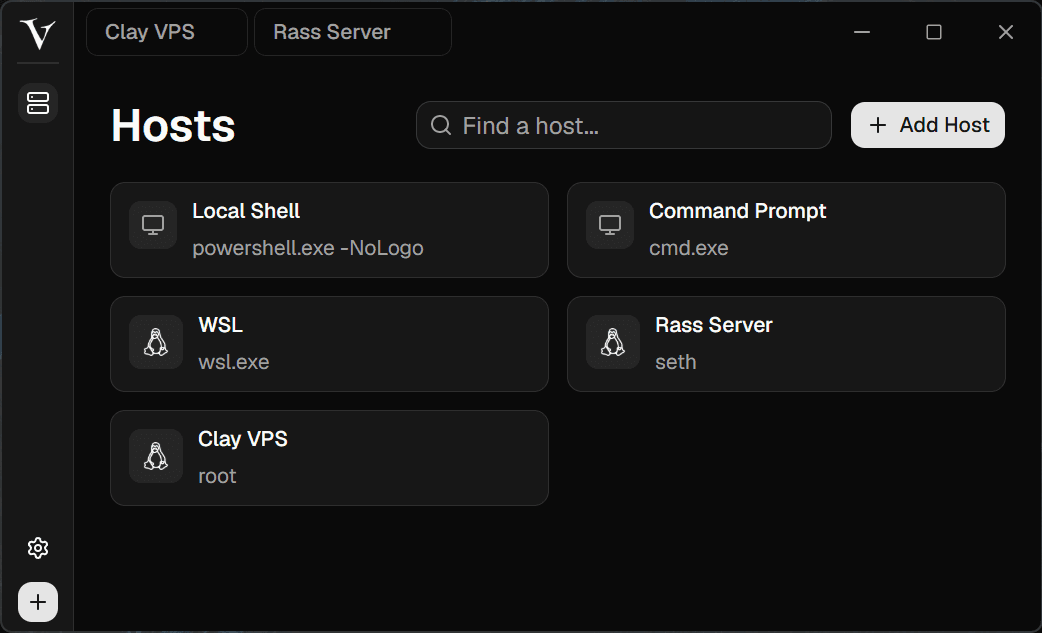
Host vault
All your shells in one place
Save local shells, WSL, and SSH hosts in one private workspace with fast search and one-click launches.
 VShell
VShell brings saved hosts, SSH terminals, SFTP browsing, file editing, split panes, and previews into one clean desktop app. Connect to your machines and keep the whole workflow in one window.
The workspace
VShell keeps the terminal, file browser, editors, and previews close together so remote work feels less scattered.
Host vault
Save local shells, WSL, and SSH hosts in one private workspace with fast search and one-click launches.
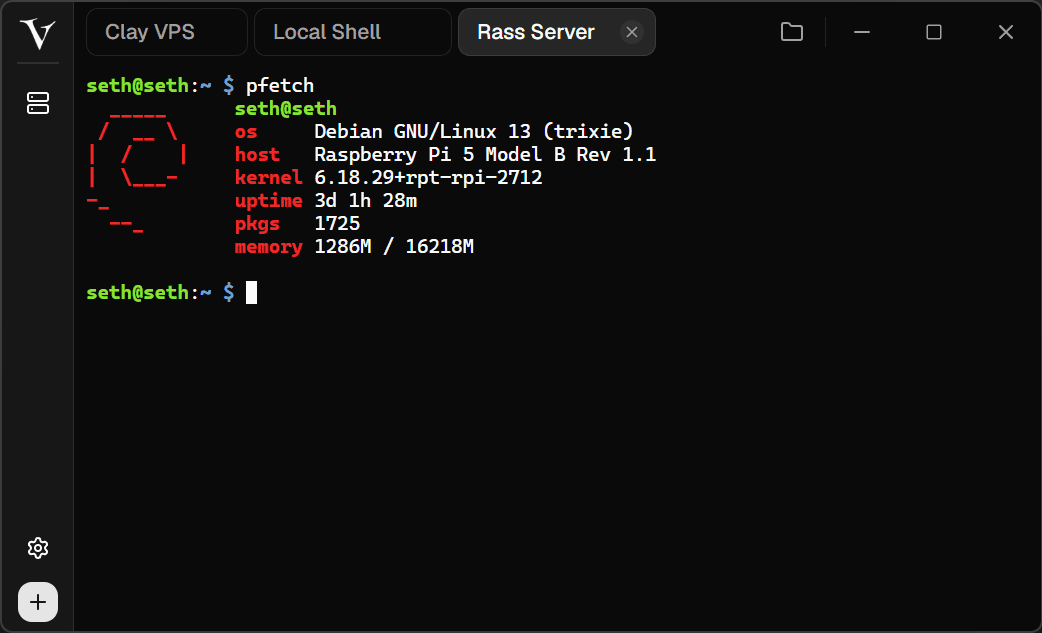
Remote terminal
Open remote terminals quickly, keep multiple sessions tabbed, and move between machines without losing context.
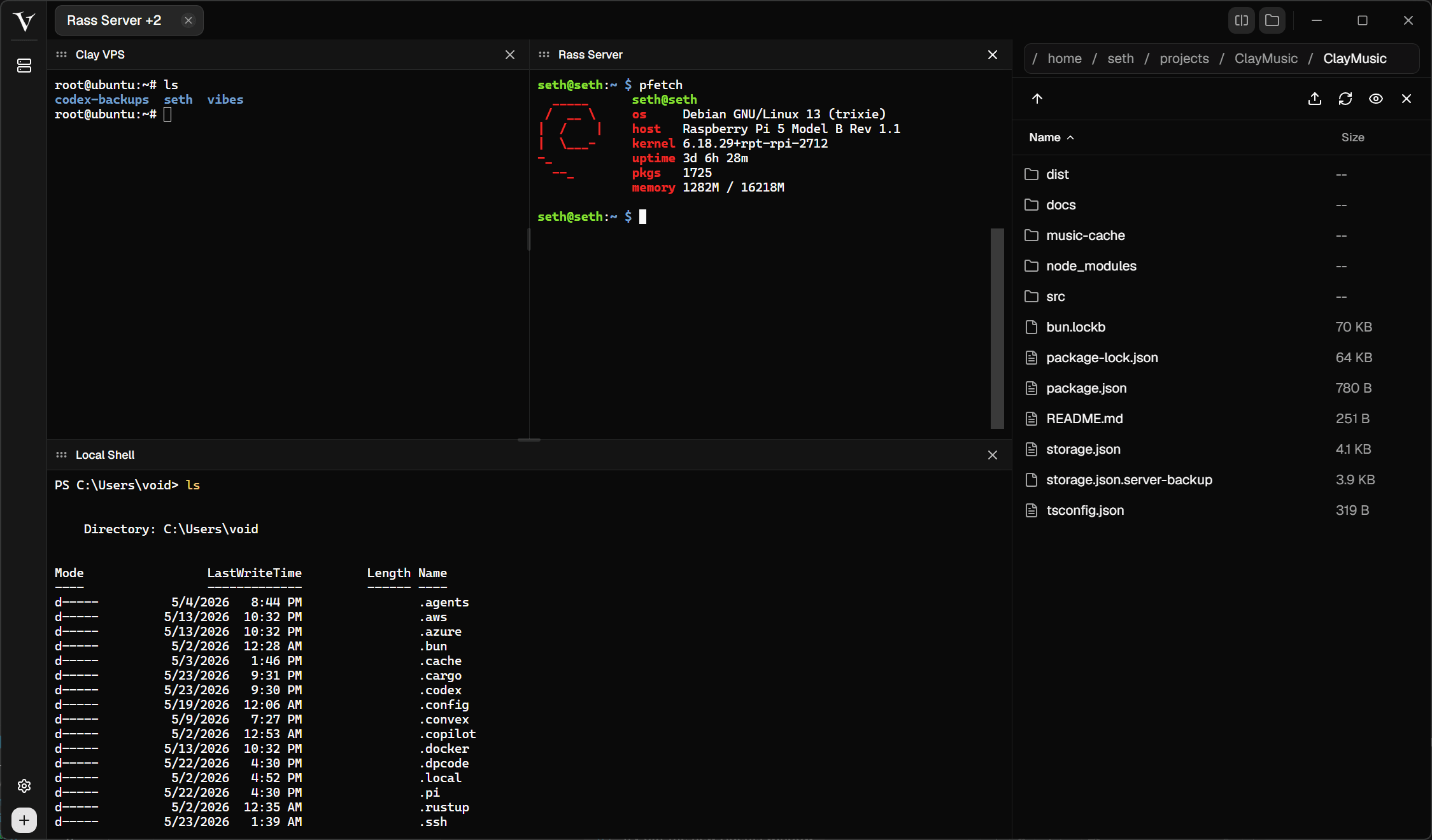
Split panes
Split the workspace into four live areas, keep different sessions visible, and reorder panes when the task changes.
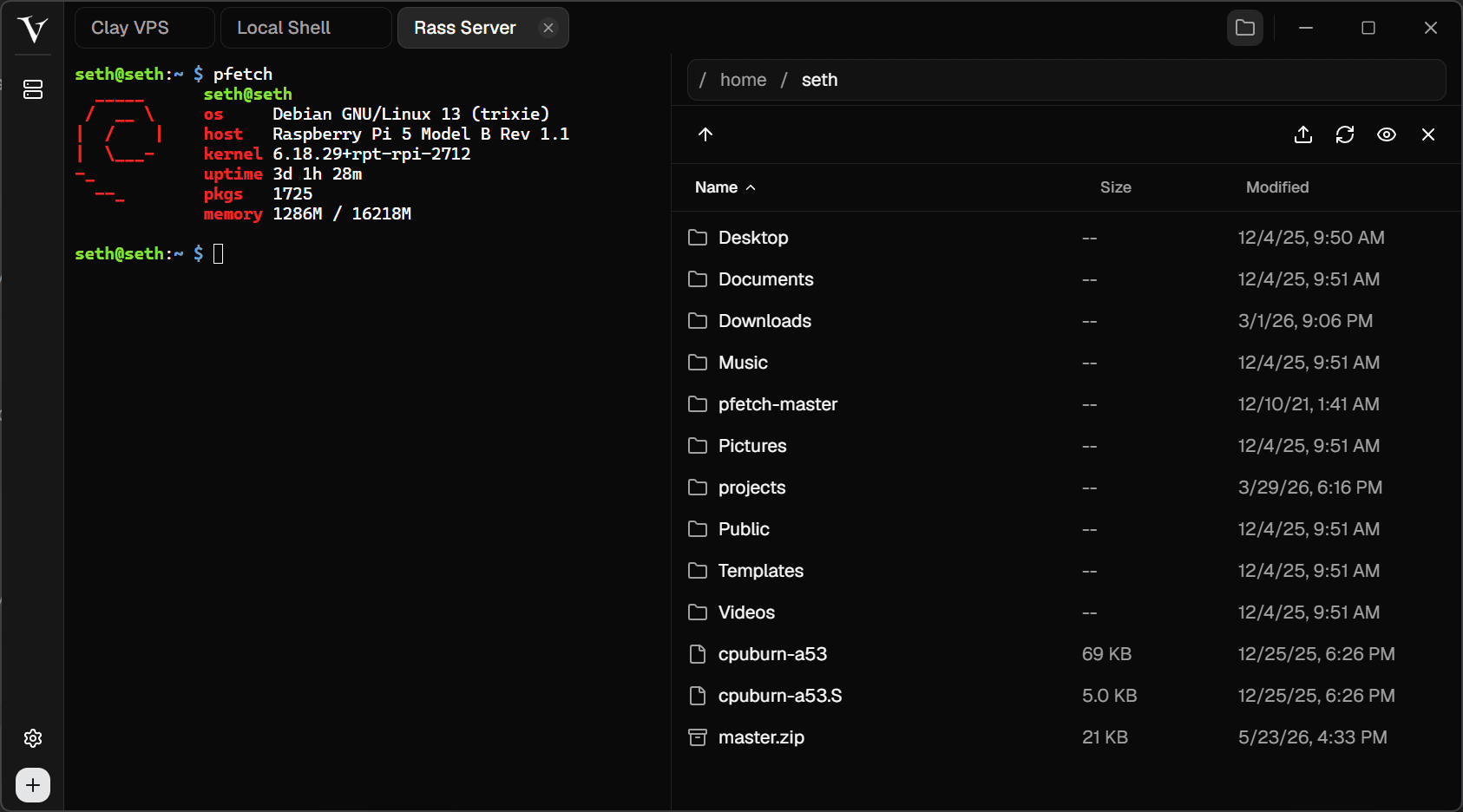
SFTP browser
Browse, upload, refresh, and preview remote files while your SSH session stays open beside them.
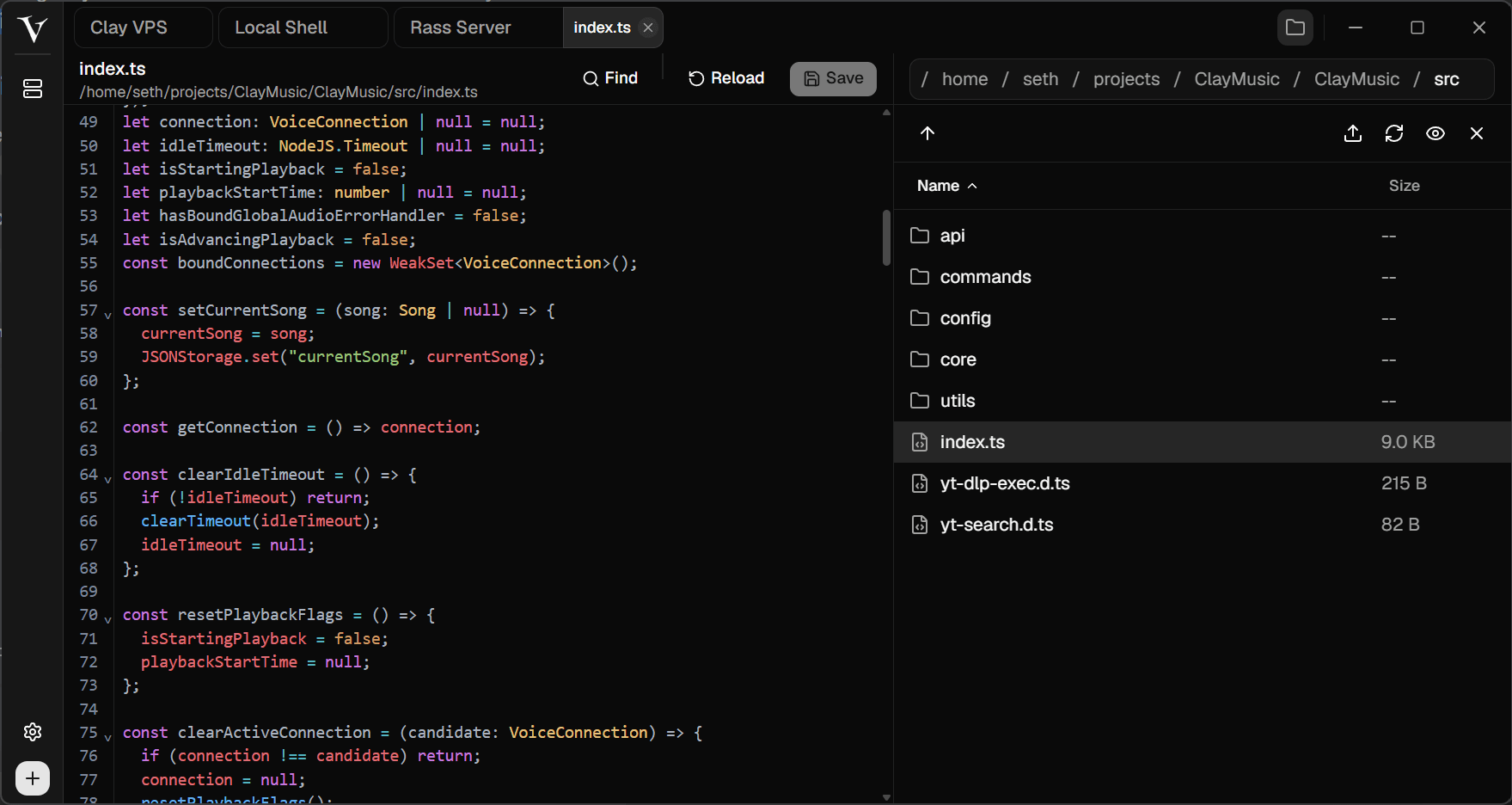
Remote editing
Open project files directly from the remote machine with tabs, syntax highlighting, find, reload, and save.
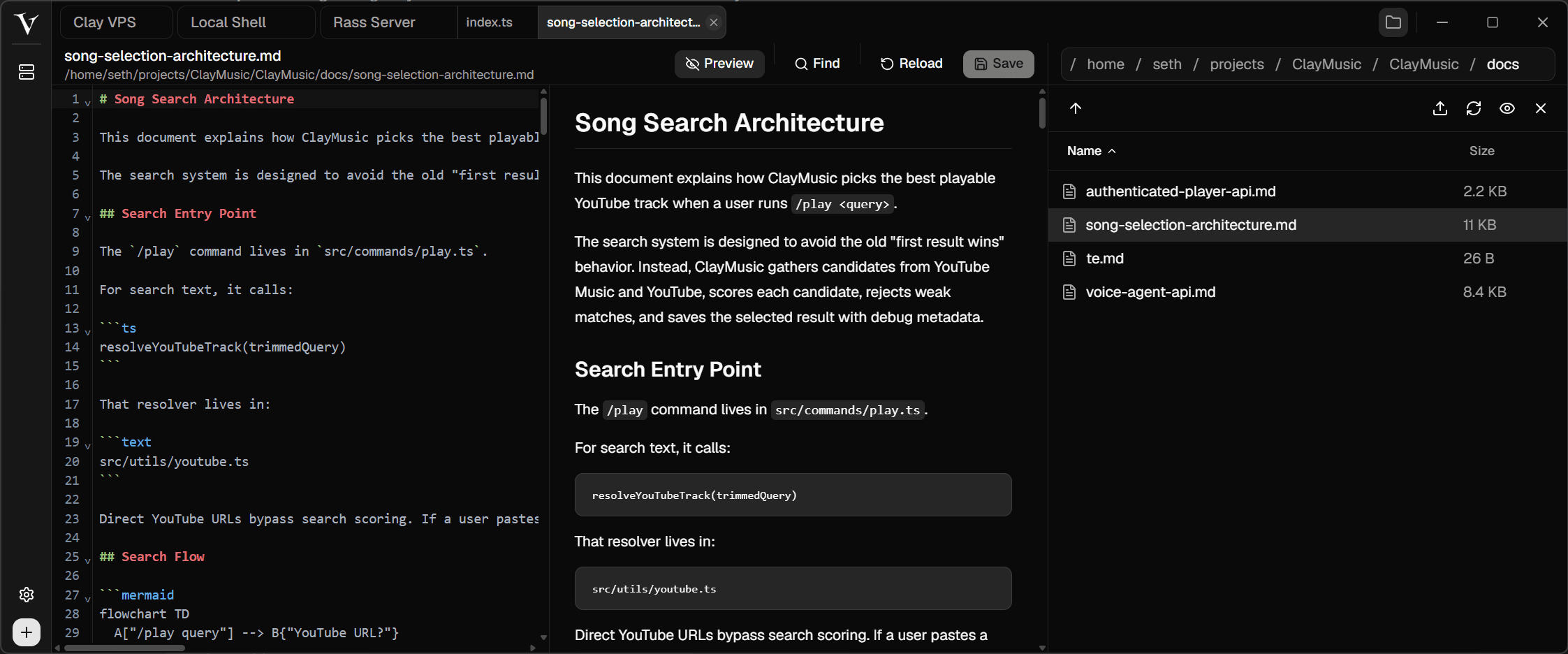
Markdown preview
Edit markdown and see the rendered result next to your file browser, all inside the same SSH workspace.
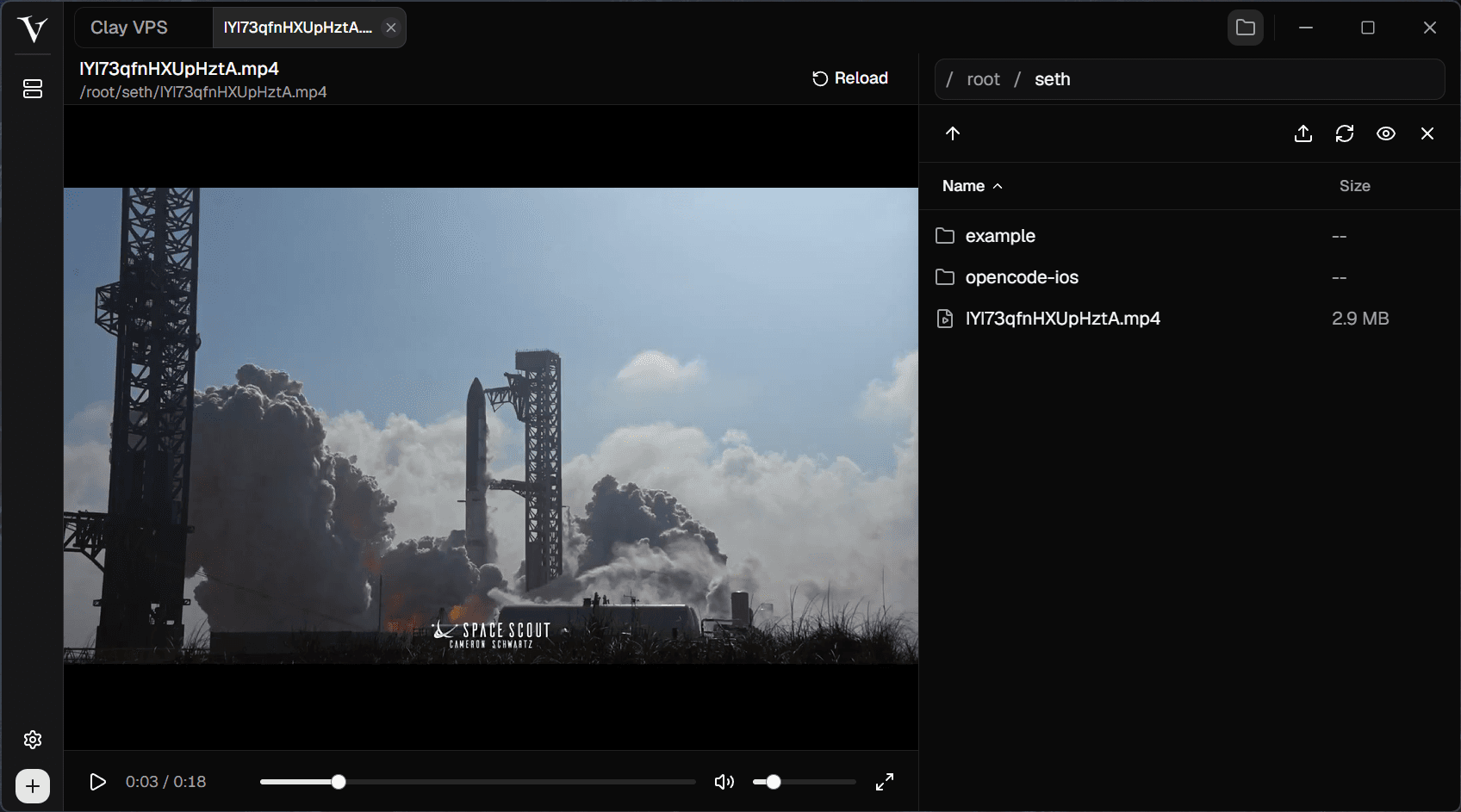
Media preview
Inspect videos and other remote assets without downloading them first or leaving the connected workspace.